Skip to content

Workshops & Teaching

You have an idea. Let’s make it a thing.

Hands-on creative experiences for students and educators. From designing a business to building an app, website, classroom tool, or something that doesn’t exist yet.

I’m a professional designer and product builder who spent seven years teaching computer science and digital arts to grades 6–12. Now I bring those worlds together through workshops, guest teaching, and professional development that gets people making things.

Good ideas deserve more than a slideshow.

Whether you need someone to take over the classroom for a day, want students to build something amazing, or have educators ready to make their own tools, I’ve got an experience for that.

  • Guest Teaching

    Teacher out? I’ve got the class.

    A fully planned, hands-on creative learning experience. I bring the lesson, activities, and instruction so the regular teacher doesn’t have to prepare anything.

  • Student Workshops

    Big ideas. Real things.

    Students explore entrepreneurship, design, and creative technology while building something of their own.

  • Educator PD

    Build what you wish existed.

    Hands-on professional development where educators use AI to create their own classroom tools, digital resources, and interactive experiences.

Done-for-You Guest Teaching

Teacher out? I’ve got the class.

I bring the lesson, the activities, and seven years of classroom experience. You leave the sub plans behind.

Teachers have enough to do without spending hours preparing for a day they won’t even be there.

Conference? Appointment? Professional development day? A well-deserved day off?

Bring me in.

I’m a former grades 6–12 computer science and digital arts teacher who now works professionally as a designer, illustrator, entrepreneur, and product builder.

When I visit a classroom, I don’t need a lesson plan waiting for me.

I show up with a complete, ready-to-teach creative experience.

Students spend the day designing, problem-solving, experimenting with technology, and making something they’re excited to share.

The teacher?

They don’t have to plan a thing.

I bring the plan. You take the day.

What I bring

  • The Lesson

    A complete, age-appropriate learning experience.

  • The Activities

    Prepared creative challenges, instructions, and resources.

  • The Instruction

    I facilitate the entire experience from beginning to end.

  • The Experience

    Seven years teaching grades 6–12, plus professional experience in design and technology.

  • The Flexibility

    Activities adapted to the class schedule, available technology, and student needs.

What students might create

  • An original business concept and brand.
  • An app or website prototype.
  • A digital game or interactive experience.
  • A creative solution to a real-world problem.
  • A design challenge exploring typography, visual communication, or branding.
  • A project exploring AI, digital citizenship, or entrepreneurship.

Available formats

One Class Period
A focused creative challenge.
Half-Day
An extended hands-on learning experience.
Full School Day
A complete creative experience that can accommodate multiple class sections.
Multiple Days
A longer project with time to develop, test, improve, and present.

This is a fully prepared guest teaching experience.

Schools provide necessary scheduling details, classroom access, technology information, and any required approvals.

I handle the instructional planning and delivery.

Teacher-absence coverage must comply with applicable school or district substitute, visitor, and vendor requirements.

Student Workshops

Less watching. More making.

Students have incredible ideas. These workshops give them the creative process, practical skills, and guidance to start making those ideas real.

Workshop 01: Flagship

From Idea to Actual Thing

Audience: Middle School | High School | College

What if you could actually build that thing you’ve been thinking about?

Students experience the product development process from the first spark of an idea to a working prototype.

They might create an app, website, game, interactive experience, or digital product that solves a problem they care about.

Along the way, they’ll explore entrepreneurship, user experience, visual design, and AI-assisted development.

What students will do

  • Identify a problem or opportunity.
  • Develop and refine a product idea.
  • Consider their audience and users.
  • Plan the experience.
  • Design an interface or visual concept.
  • Use AI-assisted tools to build a prototype.
  • Test and improve their creation.
  • Present what they’ve made.

Formats: Full-Day Workshop | Multi-Day Residency | College Intensive

Outcome: A working prototype or interactive product concept, depending on workshop length, available technology, and student experience.
Workshop 02

The Kid Startup Studio

Audience: Upper Elementary | Middle School

Big ideas. Tiny CEOs.

Students become entrepreneurs as they dream up a business, solve a problem, design a brand, and create something that brings their idea to life.

This experience combines creative problem-solving, design, entrepreneurship, and age-appropriate technology.

What students will do

  • Discover a problem worth solving.
  • Develop a product or business concept.
  • Identify their audience.
  • Create a business name.
  • Design a visual identity.
  • Build a prototype or product demonstration.
  • Pitch their idea.

Formats: Half-Day | Full-Day | Multi-Day

Outcome: An original business concept, brand identity, and prototype or presentation.

Workshop 03

Build With AI

Audience: High School | College

From “what if” to “look what I made.”

Students explore how AI-assisted development tools can help turn ideas into functional websites, applications, interactive experiences, and digital products.

The experience emphasizes creative ownership, design thinking, problem-solving, and the ability to evaluate and improve what AI produces.

What students will do

  • Explore AI-assisted creative workflows.
  • Turn an idea into a clear product plan.
  • Learn how to communicate requirements to AI tools.
  • Design interfaces and user experiences.
  • Build and troubleshoot a prototype.
  • Test, refine, and present their work.
  • Discuss responsible AI use, limitations, and privacy.

Formats: Half-Day | Full-Day | Multi-Session Course

Outcome: A functional prototype or digital creation appropriate to the available time and tools.

Educator Professional Development

Build What You Wish Existed.

That tool you’ve been wishing someone would make? You might be able to build it yourself.

Audience: K–12 Educators | Instructional Coaches | School Leaders | Higher Education Faculty

Every educator has a list of things they wish existed.

A classroom tool that does one specific thing.

An interactive activity that works exactly how they want.

A simpler way to organize information.

A digital resource they can’t find anywhere.

Or software that costs more than their department can justify.

What if they could just build it?

In this hands-on professional development experience, educators learn how to use AI-assisted development tools to create their own digital resources, classroom utilities, interactive experiences, and simple applications.

No coding experience required.

Participants bring an idea, learn how to turn it into a clear plan, and start building something they can actually use.

What educators will learn

  • How to identify opportunities for building instead of buying.
  • How to turn a rough idea into a clear product plan.
  • How to communicate effectively with AI-assisted development tools.
  • How to design intuitive, accessible digital experiences.
  • How to troubleshoot, test, and improve their creations.
  • How to share or deploy appropriate tools.
  • How to evaluate privacy, security, accessibility, and maintenance considerations.
  • How to recognize when purchasing an established solution is the better option.

What could you build?

  • Interactive Learning Games

    Create review activities, matching games, quizzes, and other interactive experiences tailored to your students.

  • Classroom Utilities

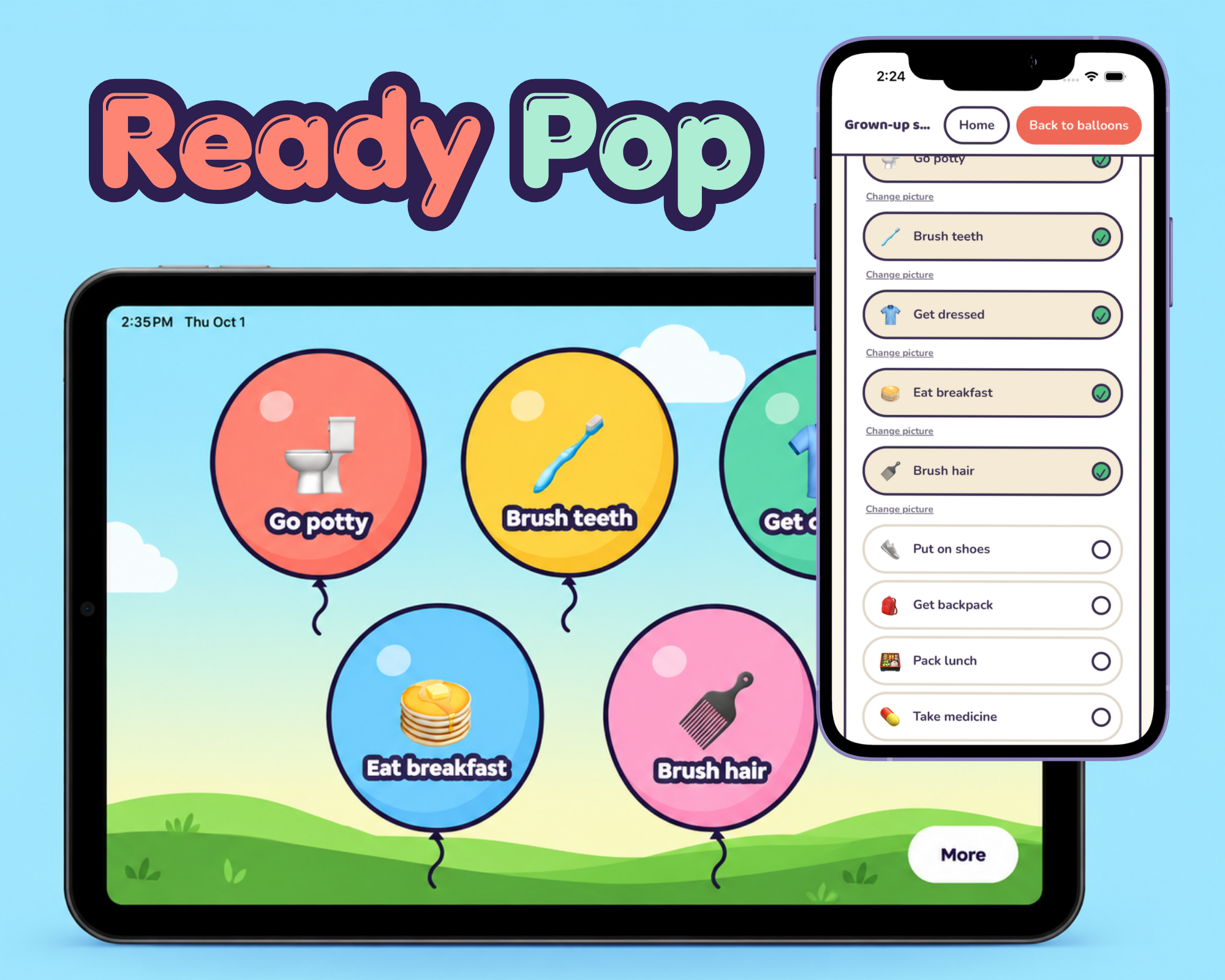
    Build custom timers, randomizers, visual schedules, trackers, and organizational tools.

  • Digital Learning Resources

    Create interactive lessons, simulations, and practice activities.

  • Workflow Helpers

    Develop simple tools that streamline repetitive tasks and organize information.

  • Custom Web Apps

    Build small applications designed around a specific classroom or instructional need.

These are examples of potential workshop projects, not previously completed student or educator work.

Workshop formats

  • 90-Minute Introduction

    Explore what’s possible and build a simple tool together.

  • Half-Day Build Lab

    Bring an idea and develop a functional first prototype.

  • Full-Day Build Studio

    Move from concept to prototype with time for testing, iteration, and peer feedback.

  • Multi-Session Residency

    Build, refine, and prepare a tool for responsible classroom use.

Outcome

Participants leave with a working prototype or practical starting point, plus a repeatable process they can use to create additional tools.

Responsible technology note

All experiences emphasize responsible AI use, accessibility, privacy, and school technology policies.

Participants work with approved tools and should never enter identifiable student information into unapproved AI systems.

Not every prototype will be appropriate for immediate classroom deployment.

The Creative Process

From idea to actual thing.

Whether we’re building an app, designing a business, or creating a classroom tool, the process starts the same way: with an idea worth exploring.

  1. 01

    Idea

    Find a problem worth solving.

  2. 02

    Plan

    Figure out who it’s for and what it needs to do.

  3. 03

    Design

    Make thoughtful decisions about how it looks and works.

  4. 04

    Build

    Use creative tools and AI to bring it to life.

  5. 05

    Test

    Try it, break it, fix it, improve it.

  6. 06

    Share

    Show people what you’ve made.

I don’t just teach this stuff. I do it.

Before I started building software products, I was a graphic designer. Before I became an entrepreneur, I spent seven years teaching computer science and digital arts.

Today, I work across design, technology, education, and product development.

That means the experiences I bring into classrooms aren’t hypothetical.

I’ve worked with major brands, designed visual identities, developed educational technology, and built software products from scratch.

I know what it’s like to have an idea, figure out how to make it work, and deal with all the messy parts in between.

And I love helping other people experience that process.

College & University Opportunities

Not just for K–12.

The same creative process works for college students, aspiring entrepreneurs, educators, and professionals who have ideas they want to bring to life.

I offer hands-on workshops, guest instruction, and short-format learning experiences for community colleges and universities.

Potential areas of instruction

  • AI-assisted product development
  • Creative entrepreneurship
  • Design thinking
  • User experience and interface design
  • Visual communication
  • Digital product prototyping
  • Creative technology
  • Building websites and applications with AI
  • Applied AI for educators and professionals

Available formats

Guest Lecture
A focused introduction to a topic or creative process.
Hands-On Workshop
An interactive session where participants build something.
Full-Day Intensive
A deeper experience moving from idea to prototype.
Multi-Session Course
An extended learning experience with time for development and iteration.

One class. One day. A few days. Let’s figure it out.

Every school and program is different.

Workshops can be adapted to fit your schedule, participants, available technology, and learning goals.

  • Guest Workshop

    A focused, hands-on session introducing a creative process or technology.

  • Half-Day Experience

    A deeper dive with time to explore, experiment, and create.

  • Full-Day Workshop

    A complete creative experience from idea development to a shareable outcome.

  • Multi-Day Residency

    An extended experience with more time for research, design, building, testing, and presentation.

Workshop activities are adapted to participant age, experience, available technology, and institutional policies.

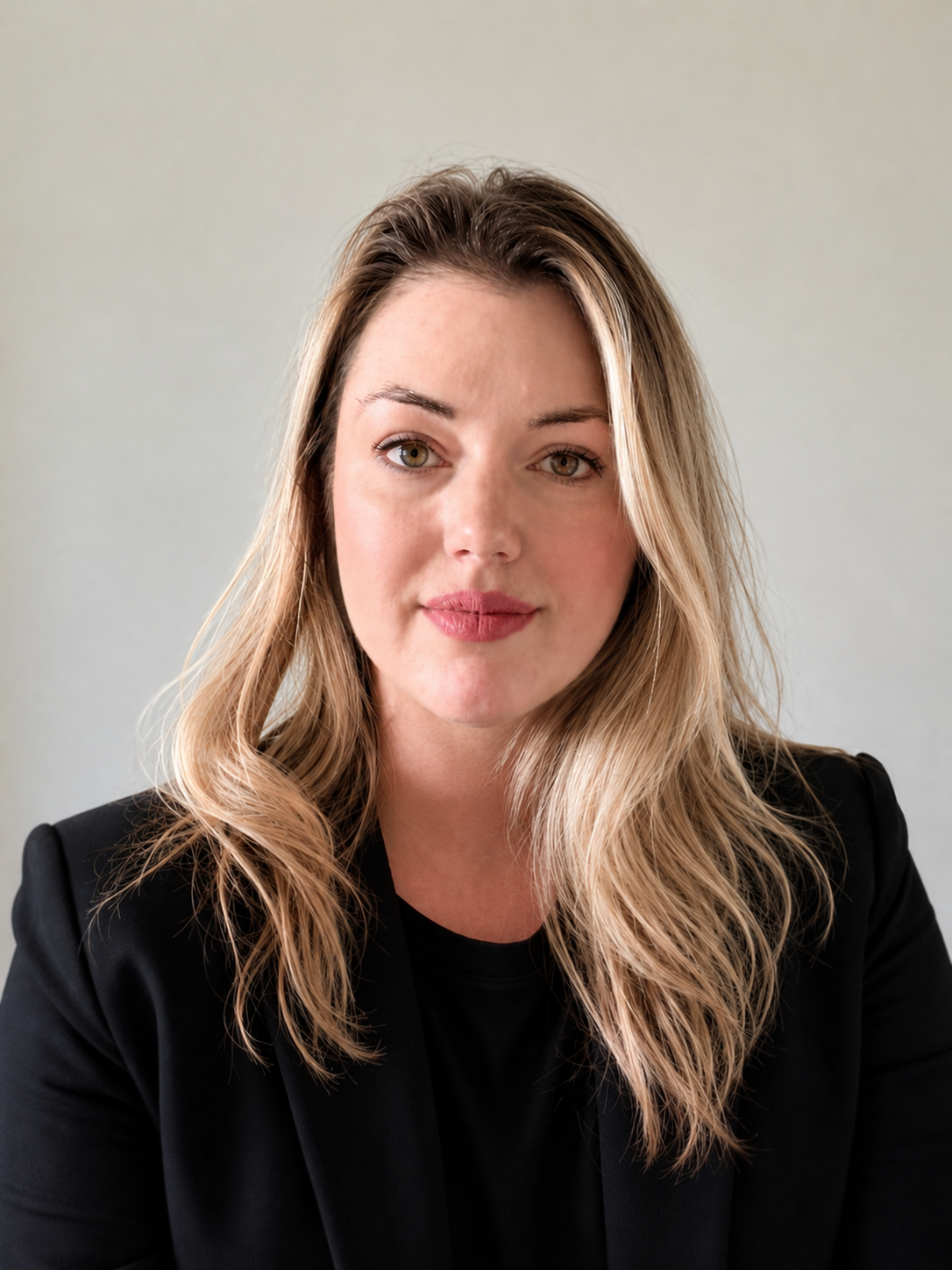
Hi, I’m Lauren.

I’m a designer, illustrator, product builder, and former grades 6–12 computer science and digital arts teacher.

I’ve spent my career bouncing between creative industries and classrooms, and I’ve discovered that some of the most interesting learning happens when those worlds overlap.

I’ve worked as a designer for major brands, taught middle and high school students in public schools, developed educational technology, and built my own software products.

I love the moment when someone realizes they can make something they previously thought was out of reach.

That’s what I want students and educators to experience.

  • 7 years teaching grades 6–12 computer science and digital arts
  • Professional graphic designer and art director
  • Google Certified Innovator
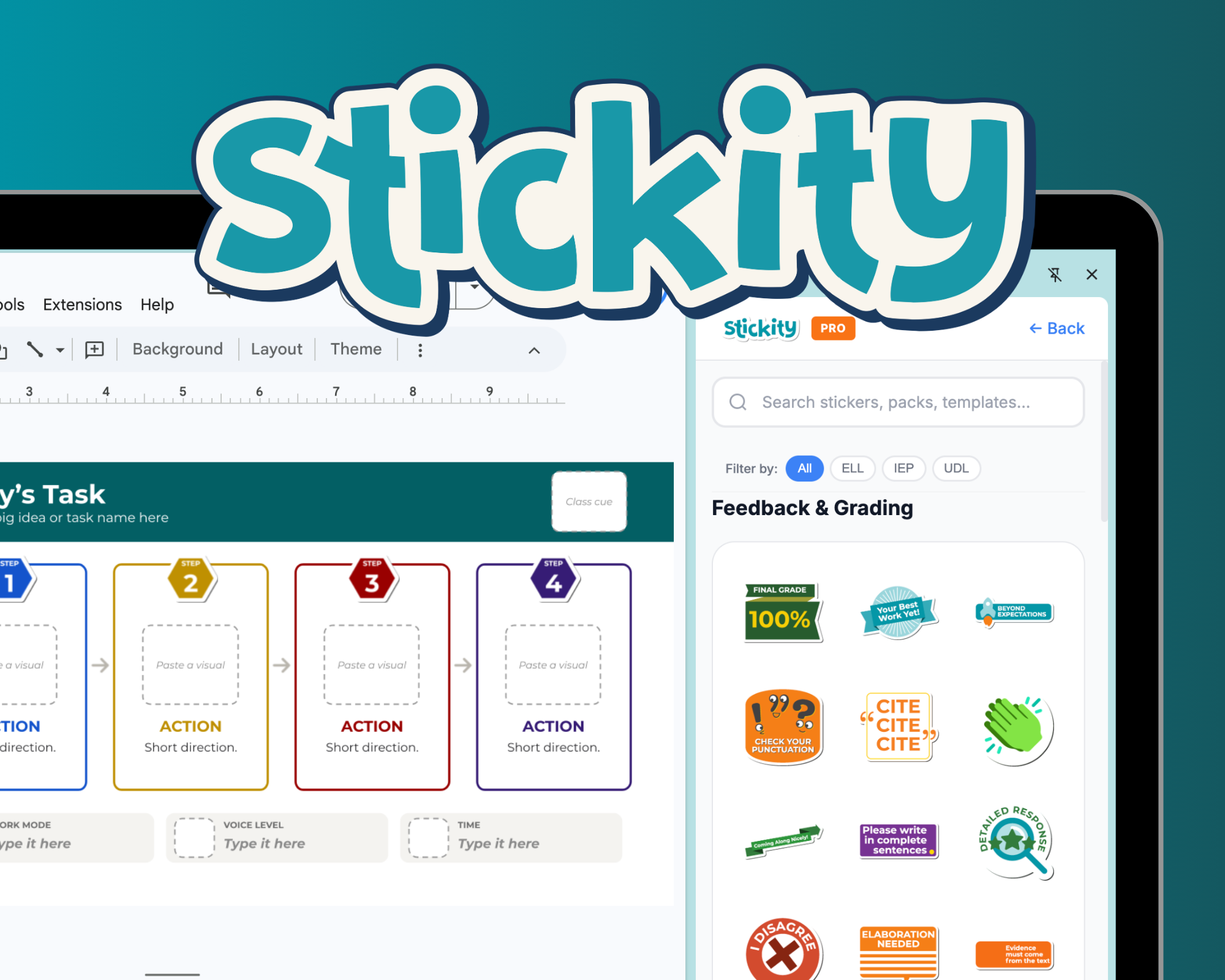
  • Founder and creator of Stickity
  • Independent product designer and developer
Portrait of Lauren Heil.

Let’s make something happen.

Have a group of students ready to build something? Need someone to take over the classroom for a day? Or have a team of educators with ideas they’ve been itching to try?

Tell me a little about what you’re thinking.

I’d love to hear about it.